For site owners who lost Google traffic
Find out why your rankings dropped, and get them back
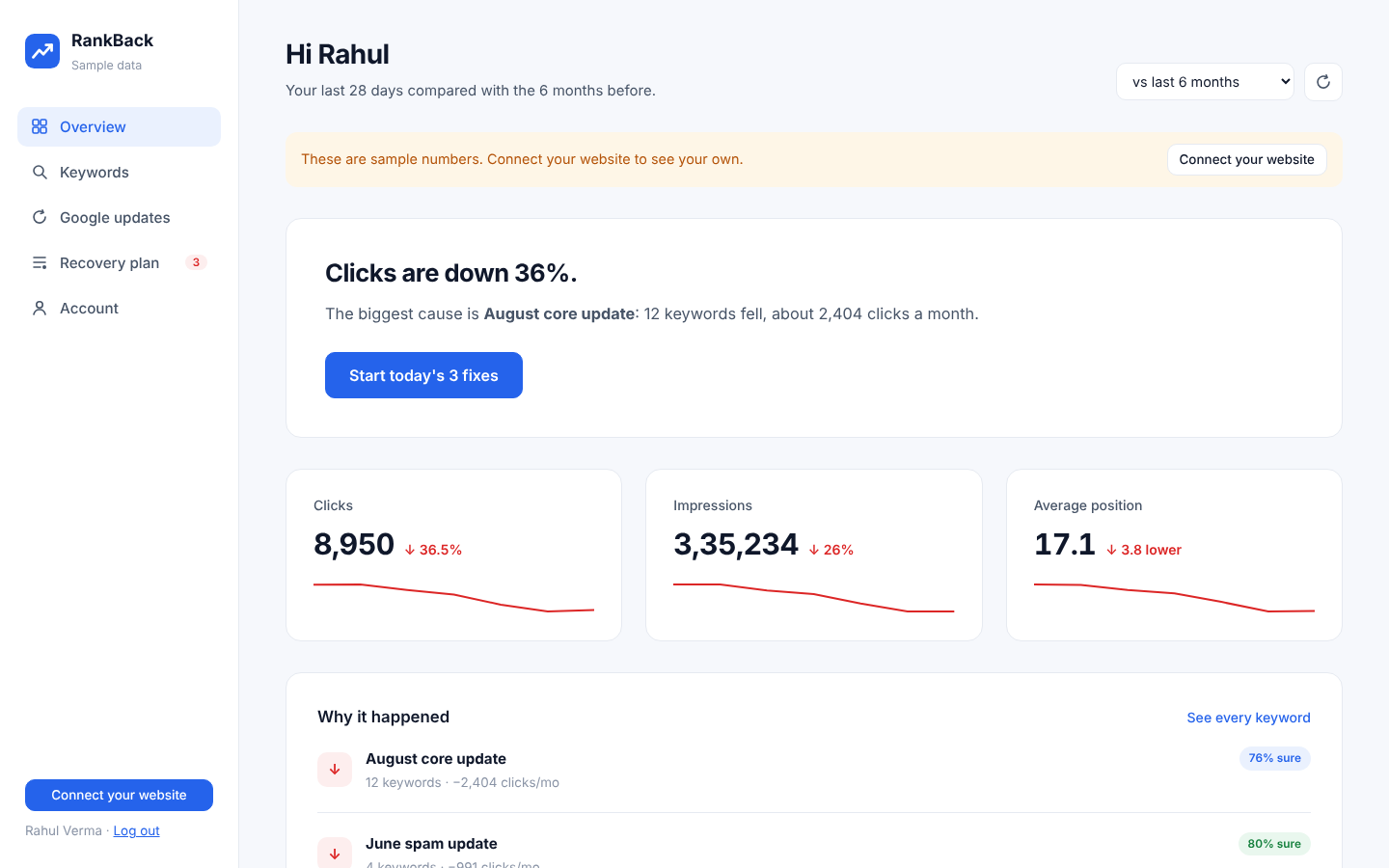
Connect Google Search Console. We compare your months, show which keywords moved and why, check them against Google updates, and give you a day-by-day recovery plan.
Read-only access. We never change your Search Console.
What you get
One dashboard that explains your traffic instead of just charting it.
Every keyword, compared
Pick 3 to 15 months and see which keywords went up or down, with clicks, impressions and position side by side.
A reason for each move
Noindex tags, lost pages, cannibalisation, falling demand, weak snippets, outdated content: each keyword gets a plain-language cause.
Google updates, matched
Drops are lined up against core and spam update dates, so you know whether an update or your own site is to blame.
Today, tomorrow, the day after
A short recovery plan with three tasks a day, ordered by how much traffic each one can win back.
Approve, then apply
For simple fixes like a new title or removing noindex, we write the change. You review it, copy it, and mark it done.
Room for more data
Add Semrush or Ahrefs later for backlink counts next to spam-update drops. Search Console stays the main source.
Three steps to your plan
Create an account
Sign up in under a minute. You can look around with sample data straight away.
Connect Search Console
Sign in with Google and pick your website. Access is read-only.
Follow your plan
See what changed and why, then work through today's fixes. Recheck on day three.
Questions
Can you change anything in my Search Console?
No. We ask Google for read-only access. You can remove it any time from your Google account or the Account page.
Do I need Semrush or Ahrefs?
No. Everything works with Search Console alone. Those tools only add backlink counts for pages hit by spam updates.
How far back can I compare?
Up to 15 months, which is as far as Search Console keeps data. Most people start with 6.
Does it fix my site automatically?
It writes the fix for simple changes, like a new title or description or removing a noindex tag. You approve and apply it, so nothing changes without you.
Is the reason always right?
Each reason is a best guess from your data and known update dates. Treat it as a strong lead, then check the page.
See what happened to your traffic
It takes about two minutes to connect and get your first plan.